 Glimpsa
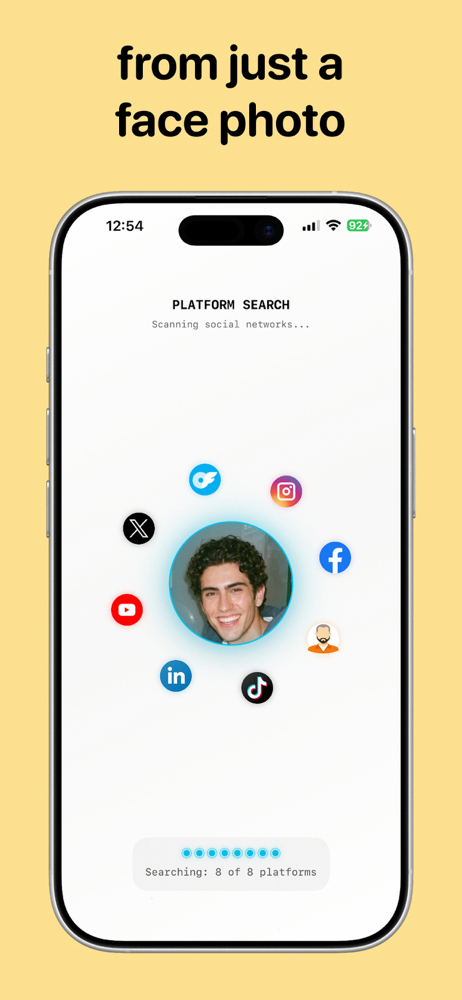
Here's the move: search for your own face. Upload a photo of yourself to a face search app and you'll see every publicly indexed page where your face or picture appears — including the ones you never posted to. It's the fastest way to catch stolen photos, fake accounts and impersonation.
Why your photos end up in other people's hands
Any photo posted publicly can be saved and reposted in seconds. The common cases:
- Catfish and romance scammers build fake dating profiles from attractive strangers' photos — this is the #1 use of stolen personal pictures.
- Impersonation accounts copy your name and photos to scam your friends and followers.
- Content scraping — blogs, ad creatives and spam sites lift images without credit or consent.
- Ex-partners or acquaintances reposting photos you'd rather keep off the web.
Most people find out months late — when a friend stumbles onto the fake account. A proactive search flips that: you find out first.
🛡️ Audit your own photos with Sherlock — 4 steps
- Pick your most-visible photos. Start with your current profile pictures — they're the most commonly stolen.
- Upload one to Sherlock Face Search. The AI searches for your face and visually similar images across publicly available web sources.
- Review every match. Expected places (your own accounts) are fine. Flag anything you don't recognize — unfamiliar profiles, foreign sites, dating platforms you've never used.
- Repeat with 2–3 different photos. Different pictures surface different reposts. Make it a monthly habit.
Found your photo somewhere it shouldn't be? Do this.
- Document everything first. Screenshot the page, the URL and the date before reporting — content often vanishes after a report, and you may need evidence.
- Report impersonation to the platform. Facebook, Instagram, TikTok and X all have dedicated impersonation report forms that don't require you to have an account.
- Send a DMCA takedown for websites. You own the copyright to photos you took (or selfies of yourself). Email the site's contact or its hosting provider with a takedown request — most comply quickly.
- Warn your network if an account is impersonating you, so nobody falls for messages "from you."
- Escalate if it's harmful. Harassment, intimate images or fraud in your name warrant a police report — your documentation from step 1 matters here.
Frequently asked questions
How can I check if my photos are used without permission?
Upload your own photo to Sherlock and review the matches — you'll see the publicly indexed pages where your face appears, including ones you never posted to.
How do I get stolen photos taken down?
Platform impersonation forms for social accounts; DMCA takedown notices for websites. Screenshot everything first.
How often should I check?
Monthly is a solid baseline — more often if you're a creator, professional or have been impersonated before.
Your face. Your photos. Your call.
Find every public page using your pictures — before someone else does. Free on Google Play.