 Glimpsa
Quick answer: upload the photo to an AI face search app and it will scan publicly available pages across major platforms, returning profile matches ranked by similarity score — each with a direct link. If the person's face appears on public pages, one photo is usually enough to find them.
When this is genuinely useful
- Verifying someone new — a date, a marketplace seller, a potential roommate or business contact. Do their public profiles match who they claim to be?
- Reconnecting — an old classmate or colleague whose name you've forgotten but whose photo you still have.
- Checking impersonation — find accounts using your face (or a friend's) without permission.
- Due diligence — confirming the person behind a username before you transact with them.
How face-to-profile search works
Usernames change; faces don't. Sherlock maps the facial geometry in your photo — 60+ landmark points — and compares it against more than a billion faces indexed from publicly available web sources. When a match is found on a public profile page, you get the page, the username and a similarity score. One search covers 8+ platforms at once, so you don't have to check Instagram, TikTok, X, Facebook, LinkedIn and YouTube one by one.
📱 Find profiles with Sherlock — 3 steps
- Upload a clear photo. Front-facing, good lighting, face filling most of the frame.
- Run the platform search. Sherlock scans publicly available sources across all major social networks in a single pass.
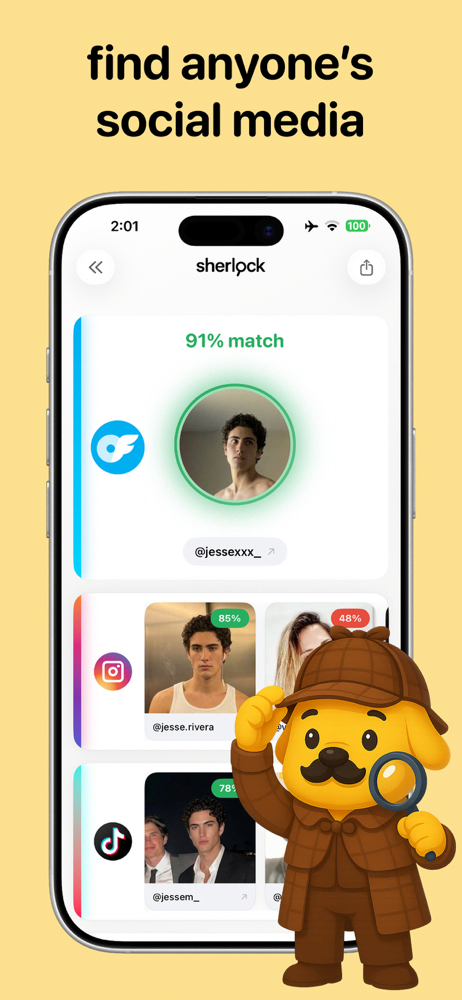
- Open the ranked matches. Each result links to the public page it was found on, with a similarity score — like "91% match" — so you can judge at a glance.
Judging your matches
- 85%+ similarity with consistent details (same city, same first name, mutual context) — very likely the right person.
- Multiple platforms, same identity — the strongest confirmation you can get from public data.
- High score but conflicting details — possibly a look-alike or a stolen-photo account; dig into the page before concluding anything.
What face search can't do
Sherlock searches publicly available sources only. Private accounts, followers-only photos and content behind logins aren't indexed and won't appear. If someone has locked down their privacy settings, their choice is respected — and that's how it should be.
Frequently asked questions
Can I find someone's Instagram from a picture?
If their face appears on publicly available pages tied to their account, yes — upload the photo and check the Instagram matches in your results.
Will it find private accounts?
No. Only publicly available pages are indexed. Private profiles stay private.
What does the similarity score mean?
It estimates how closely a found face matches your upload. Treat it as a ranking signal, and confirm with the context on the linked page.
One photo. Every platform.
Sherlock scans 8+ social networks in a single search. Free download on Google Play.